Introduction
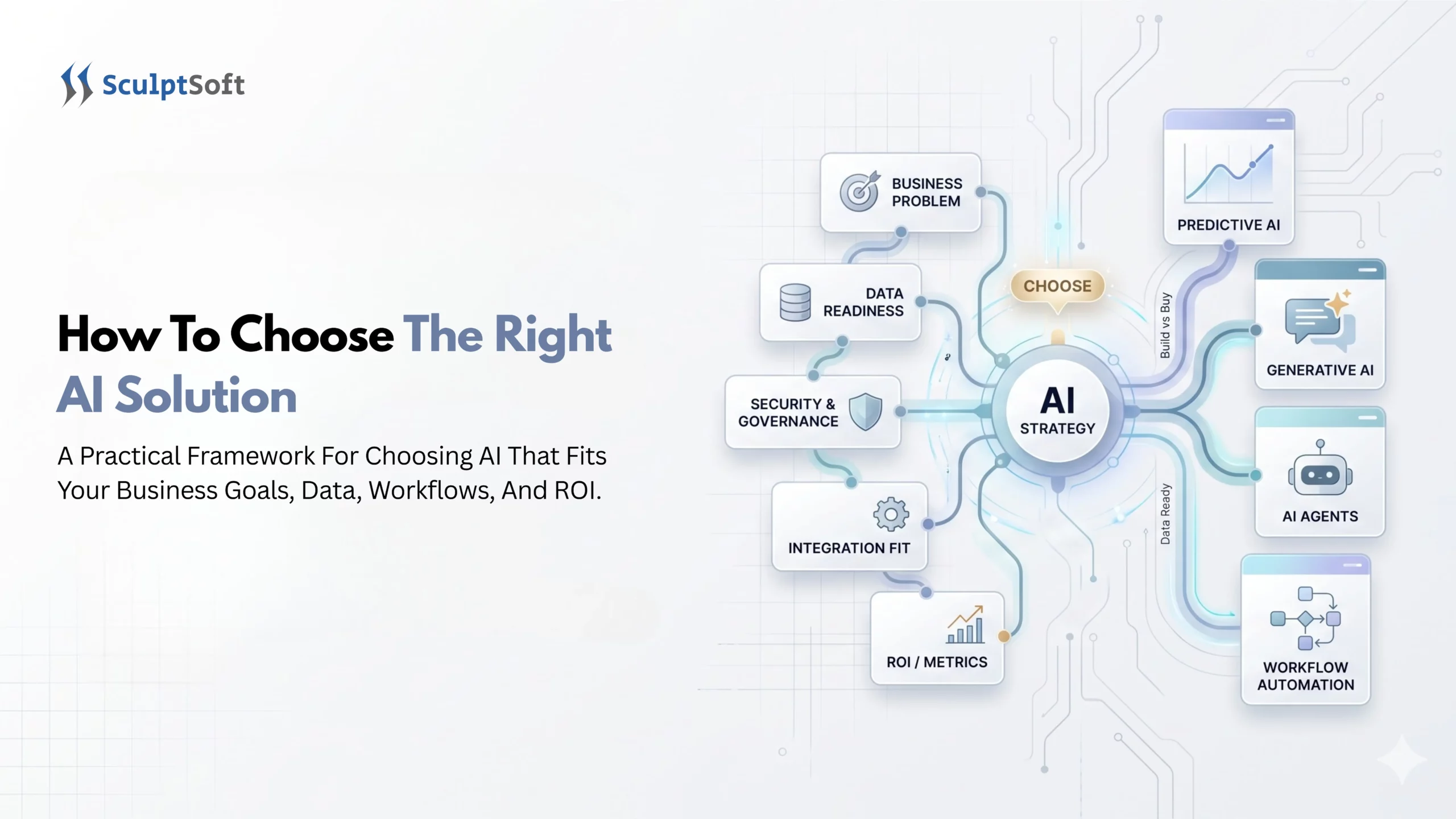
According to the Microsoft 2026 Work Trend Index Report, simply handing employees AI tools delivers less than half the business impact of redesigning how your daily workflows actually run (32% vs. 67%). Choosing the right AI solution is never a matter of picking the slickest technology. It is a process of addressing a particular challenge through an efficient system that will best fit the data, the team, and the tools you already have. As an experienced AI solutions company, SculptSoft utilizes the eight-step framework below to assist growing businesses in investing into AI solutions that pay off.
How Do You Identify Which Business Problem Actually Needs AI?
Spot the Difference Between Simple Automation and Real AI
Pick One Clear Goal Before Talking to Vendors
- Cutting customer support reply times from four hours to under five minutes.
- Eliminating manual typing mistakes when moving invoice numbers into accounting software.
- Forecasting seasonal inventory so your warehouse stops running out of top-selling products.
What Type of AI Does Your Business Need: Predictive, Generative, or AI Agents?
Find the Right AI Approach for Each Business Need
| Business need | Recommended solution | What to evaluate | SculptSoft example |
|---|---|---|---|
| Summarize meetings and draft emails | Existing AI tool | Privacy, accuracy, and ease of use | General-purpose AI tools |
| Forecast sales, demand, or customer churn | Predictive AI | Historical data quality and forecast accuracy | AI Appointment Scheduling |
| Search company documents and get answers | Generative AI with document retrieval (RAG) | Data access, answer accuracy, and source references | ERP Chat Assistance |
| Analyze business data using everyday language | Generative AI connected to business data | Data accuracy, access permissions, and reliable results | Business Data Insight Bot |
| Automate tasks across multiple business systems | AI agents or workflow automation | Integration reliability, approval controls, and error handling | Agentic AI Sales & Order Automation |
| Build AI around unique business processes | Custom or hybrid AI solution | Total cost, flexibility, integration, and maintenance | AI Workflow Builder Platform |
Business need
Summarize meetings and draft emails
Recommended solution
Existing AI tool
What to evaluate
Privacy, accuracy, and ease of use
SculptSoft example
Business need
Forecast sales, demand, or customer churn
Recommended solution
Predictive AI
What to evaluate
Historical data quality and forecast accuracy
SculptSoft example
Business need
Search company documents and get answers
Recommended solution
Generative AI with document retrieval (RAG)
What to evaluate
Data access, answer accuracy, and source references
SculptSoft example
Business need
Analyze business data using everyday language
Recommended solution
Generative AI connected to business data
What to evaluate
Data accuracy, access permissions, and reliable results
SculptSoft example
Business need
Automate tasks across multiple business systems
Recommended solution
AI agents or workflow automation
What to evaluate
Integration reliability, approval controls, and error handling
SculptSoft example
Business need
Build AI around unique business processes
Recommended solution
Custom or hybrid AI solution
What to evaluate
Total cost, flexibility, integration, and maintenance
SculptSoft example
Predictive AI (The Forecaster - Best for Spotting Trends)
Generative AI (The Assistant - Best for Content, Search, and Chat)
Autonomous AI Agents (The Doer - Best for Running Multi-Step Workflows)
While a basic chatbot is able to answer queries, an AI agent is able to perform tasks. For instance, an AI agent could be used to read the content of an incoming email from a customer, look up their order in a shipping database, print out a return label, and update the sales tracking system, among other tasks, without any human intervention. To see how engineering teams build reliable guardrails around these systems, explore SculptSoft’s guide on LangChain Managed Deep Agents: Scaling Complex AI.
Should You Buy an Off-the-Shelf AI Tool or Build a Custom AI Solution?
According to McKinsey’s State of AI Global Survey, nearly one-third (32%) of organizations now build custom internal AI workflows because rigid, plug-and-play software fails to match how their teams actually work.
When Ready-Made AI Software Is Enough
When Custom or Hybrid AI Gives You an Unfair Advantage
If your competitive edge comes from how you price quotes, handle patient or financial records, or serve clients, a generic tool will not cut it. Fortunately, building custom AI does not mean spending millions to invent a brand-new AI model from scratch. Most smart companies use a hybrid approach. They take proven AI brains like OpenAI, Claude, or Llama and partner with an AI solution company like SculptSoft to connect those brains securely to their own private company data and workflows. For a side-by-side breakdown of cost and ownership, read our Build vs Buy AI: A 2026 Guide for Business Leaders.
How Do You Know If Your Business Data and Software Are Ready for AI?
Deloitte’s 2026 State of AI in the Enterprise Report highlights a gap between AI strategy and operational readiness. While 42% of surveyed companies said they were highly prepared strategically for AI, readiness was lower across areas such as infrastructure, data, risk, and talent. This is why businesses should assess their data and systems before committing to an AI implementation.
Fixing Messy or Scattered Company Data
AI is only as smart as the information you feed it. So if your customer records, pricing sheets, and support logs are all over the place (like on ten different folders), you’re going to get conflicting answers from the AI. But the good news is, you don’t need to clean up your entire company’s history at once. You just need to organize the files for one department to kickstart your first tool. Learn how to prep your records in Data Engineering for AI and ML: What Businesses Need to Know.
Making Sure the AI Plugs Into the Software Your Team Already Uses
How Much Does a Business AI Solution Cost (And How Do You Measure ROI)?
- Watch out for per-user pricing traps: An off-the-shelf tool that costs $30 per person per month looks cheap for five users, but quickly snowballs into tens of thousands of dollars a year as your staff grows. Custom solutions often cost more upfront but eliminate per-seat subscription spikes.
- Track three simple ROI numbers: Measure how many hours your team gets back each week, how much rework drops due to fewer human errors, and how much faster leads or support tickets are resolved.
How Do You Keep Company and Customer Data Safe When Using AI?
Protecting Private Data From Public AI Training
Keeping a Human in Charge of Important Decisions
How Do You Test an AI Solution Before Rolling It Out Company-Wide?
- Test with real, messy work: Do not rely on a vendor’s polished sales demo. Run the test using your actual customer emails, invoices, or inventory sheets.
- Listen to daily users: Ask the five or ten employees testing the tool if it actually makes their workday easier. If the interface feels clunky, fix it during the pilot phase before training the whole company.
SculptSoft: The Best AI Solution Company for Growing Businesses
Everything Handled for You - From Organizing Messy Files to Launch
Whether you have a growing medium-sized enterprise or a large conglomerate, our SculptSoft solution manages all processes from under one roof. We take care of preparing your data, train AI models on your rules, connect them into a single system tied to your CRM or ERP, and ensure the security and continuous development of the system after launch. Already have an internal tech team and just need specialized AI builders? See how we help companies scale fast in AI Staff Augmentation for Enterprises: Hire AI Developers Without Delays.
Proven Results Across Real Business Workflows
We measure our work by the hours and budget we save our clients. In our AI Workflow Builder Platform Case Study, SculptSoft engineered a modular agentic AI platform that helped the client cut AI workflow setup time by 70% and reduce manual team intervention by 68%. You can explore more real-world results across healthcare, finance, retail, and operations on our SculptSoft Case Studies page.
Start Your Custom AI Pilot With SculptSoft
Not sure whether your business needs a custom knowledge assistant, an automated AI workflow agent, or a cleaner data setup? Explore SculptSoft’s AI & ML Development Services or speak directly with our Generative AI Development Team to map out a practical, high-ROI pilot project tailored to your business goals.
Conclusion
- Pick one clear goal that will save your team hours of work every week.
- Clean up your files in that one department so the AI has good, accurate information to use.
- Test the tool for four to six weeks with a small group of employees before giving it to your whole company.