TimeGap Monitor – Latency Insights for Hospitals
About Client
Industry
Healthcare
Location
USA
Project Overview
Our client is a leading hospital that relies heavily on its digital platform and AI-driven communication system to manage patient interactions, appointment flows and more. Every day, thousands of users, patients, staff, and caregivers perform a sequence of critical actions on the hospital’s AI call interface and internal portals. These actions directly influence response times, care delivery efficiency, and the overall digital experience.
However, the hospital lacked clear visibility into how long users were waiting between each step of their journey through the AI-assisted call workflows, often leaving users waiting to receive an answer to their query. Azure Application Insights was collecting raw telemetry, but without the right analytical layer, the team still struggled to identify where delays were occurring, which steps were taking too long, or how the overall end-to-end journey was performing. Manually reviewing logs and timestamps was time-consuming and did not provide actionable insights.
To address this gap, we built a data-driven performance framework powered by Azure Application Insights for event tracking, Google Analytics for user journey analytics, and Power BI for interactive analytics. The system calculated:
- Average latency between each user event
- Average time from the first event to each intermediate event
- Total time from the first to the final action
This gave the hospital precise visibility into end-to-end user journey delays and how efficiently users were progressing through key workflows.
This insight empowered the hospital to proactively monitor responsiveness, detect performance delays in their AI call systems, and optimize the overall journey for both patients and staff. By understanding these time gaps at a granular level, the hospital could enhance operational efficiency, improve user satisfaction, and ensure a smoother, faster digital healthcare experience.
Traditional Process
The hospital’s performance monitoring process was manual and reactive, with no structured way to analyze event timings or identify delays. Insights relied heavily on raw logs and user complaints, making it difficult to detect issues early.
Below is an overview of how the traditional process worked:
01
Manual Review of Raw Logs
The team relied on raw log files and Application Insights traces to understand user actions, which required engineers to manually sift through timestamps and event entries. This process was slow, error-prone, and impractical for daily monitoring.
02
No Structured Method to Measure Time Between Events
There was no automated mechanism to calculate:
- Average latency between user steps
- Time-to-response across digital workflows
- Bottlenecks within AI-assisted call journeys
Teams were forced to approximate delays manually, often missing critical insights.
03
Limited Visibility Into End-to-End Journey Delays
User interactions across complex workflows (booking appointments, navigating AI call menus, updating records, etc.) lacked end-to-end traceability. Without Google Analytics–driven user journey tracking, there was no clear visibility into how long the complete journey took or where users were dropping off.
04
Reliance on User-Reported Issues
Performance bottlenecks were typically identified only when patients or staff reported slow responses, long wait times, or broken steps in the workflow. This resulted in delayed reaction time and a lack of proactive system monitoring.
05
Static, Spreadsheet-Based Reporting
Any analysis that was performed ended up in spreadsheets, which could not:
- Scale to thousands of events per day
- Visualize complex flow patterns
- Support deep latency diagnostics
Reports became outdated quickly and provided little real-time value.
06
Fragmented Telemetry Interpretation
Different teams interpreted Application Insights data independently, often using inconsistent metrics or manually created tracking logic – leading to misaligned conclusions and slow troubleshooting.
07
Inability to Prioritize High-Impact Workflows
Without performance benchmarking, the hospital could not determine which patient journeys were most affected (e.g., appointment scheduling vs. doctor availability vs. call routing), making it difficult to prioritize fixes efficiently.
08
No Historical Trend Analysis
The hospital could not track:
- Whether performance was improving or degrading over time
- How traffic spikes affected latency
- The long-term impact of system updates
This made capacity planning and optimization reactive rather than strategic.
Challenges Faced
The hospital’s existing monitoring approach created several performance blind spots that made it difficult to ensure a smooth and responsive digital experience for patients and staff. Without structured analytics or automated visibility into user journeys, performance issues often went unnoticed until they directly impacted user satisfaction.
Below are the key challenges identified:
01
No Measurement of Time Between User Actions
The team had no automated way to calculate the average delay between sequential events on an AI call system, making it difficult to understand how long users were waiting at each step.
02
No Baseline Metrics for Journey Performance
There were no benchmark timings for key workflows such as appointment booking, form submissions, or AI call routing. Without baselines, the hospital could not determine whether performance was improving, degrading, or behaving unexpectedly.
03
Difficulty Identifying Slow or Inefficient Stages
Since event timings were not analyzed in a unified structure, the hospital could not pinpoint which parts of the user journey were causing slowdowns whether delays came from the frontend, backend APIs, AI logic, or external integrations.
04
Delayed Detection of Performance Degradation
Issues were often discovered only after patients or staff reported long wait times. There was no system to alert the team proactively when a workflow became slower or deviated from normal patterns.
05
Lack of Centralized Performance Analytics
Telemetry data was scattered and difficult to interpret. The hospital lacked a single platform that combined event tracking, timing calculations, journey analytics, and visual reporting – resulting in fragmented insights.
06
Limited Visibility Across High-Traffic Workflows
With thousands of events per day, the hospital struggled to monitor critical journeys at scale, leading to missed opportunities to optimize responsiveness during peak usage periods.
07
Inconsistent Troubleshooting Across Teams
Different departments manually interpreted logs in their own way, leading to inconsistent analysis and slow resolution of performance issues.
08
No Way to Prioritize Critical Performance Issues
Without clear visibility into the magnitude and location of delays, the team could not determine which workflows had the highest user impact, making performance optimization reactive instead of strategic.
Our Solution - TimeGap Monitor - Latency Insights for Hospitals
To overcome these challenges, SculptSoft designed and deployed an automated, scalable performance intelligence framework that transformed Azure telemetry into actionable insights. The solution, TimeGap Monitor – Latency Insights for Hospitals provided with visibility into event timings, workflow responsiveness, and latency patterns across AI-driven call systems.
Below are the key elements of the solution:
01
Automated Event Capture Through Azure Application Insights
AI call workflow events were tracked through Azure Application Insights, ensuring high-volume telemetry was captured consistently and accurately across every user interaction.
02
KQL-Powered Lag Analysis for Time Calculations
We developed advanced Kusto Query Language (KQL) scripts to automatically calculate:
- Average time between consecutive user events
- Average time from the first event to each intermediate step
- Total journey time from initial event to final completion
This enabled precise measurement of delays within and across workflows.
03
Structured Data Transformation Using Power Query (M)
Telemetry outputs were processed and transformed using Power Query (M) within Power BI, ensuring:
- Clean, structured datasets
- Consistent event sequencing
- Accurate time gap calculations across large user volumes
04
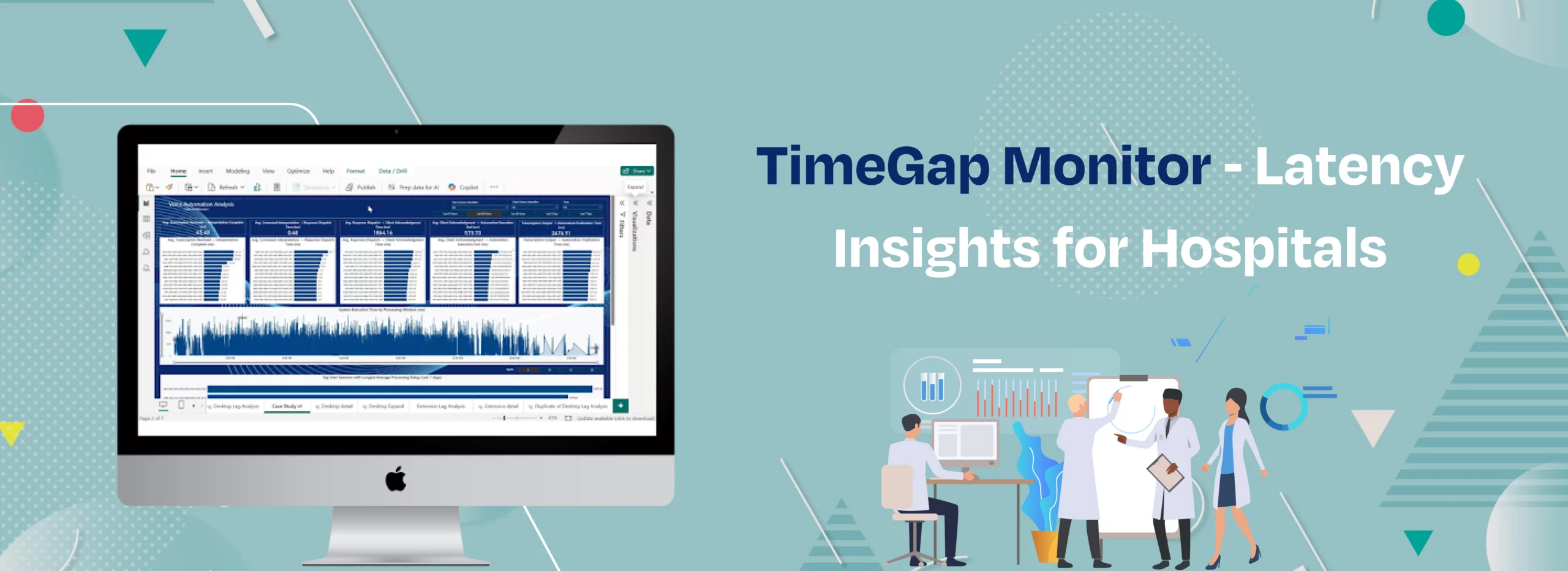
Interactive Power BI Dashboards for Performance Insights
We built intuitive dashboards that allowed the hospital team to:
- Analyze real-time and historical performance
- Identify slow-performing steps instantly
- Compare journey timings across user segments
- Track latency trends over time
These dashboards provided operational teams with a centralized performance command center.
05
Scalable and Extensible Architecture
The entire framework was designed to scale with user volume, allowing new workflows, events, or digital systems to be added without disrupting existing analysis.
06
Proactive Visibility Into AI Call Performance
By integrating AI call telemetry in one analytical layer, the hospital gained a unified understanding of how users progressed through both channels enabling faster troubleshooting and continuous optimization.
Outcome
Features
Sequential Event Lag Analysis
End-to-End Journey Latency Tracking
Interactive Performance Dashboards (Power BI)
Advanced User, Device & Key-Based Filtering
Drill-Through Deep Performance Analysis
Dynamic Time Window Selection (Up to 7 Days)
Top 5/10/15/20 Poor-Performer Identification
Technologies Used
Application Performance Monitoring (APM)
- Azure Application Insights
Log & Telemetry Query Language
- KQL (Kusto Query Language)
Business Intelligence (BI)
- Power BI
Data Transformation & ETL Tool
- Power Query (M Query)